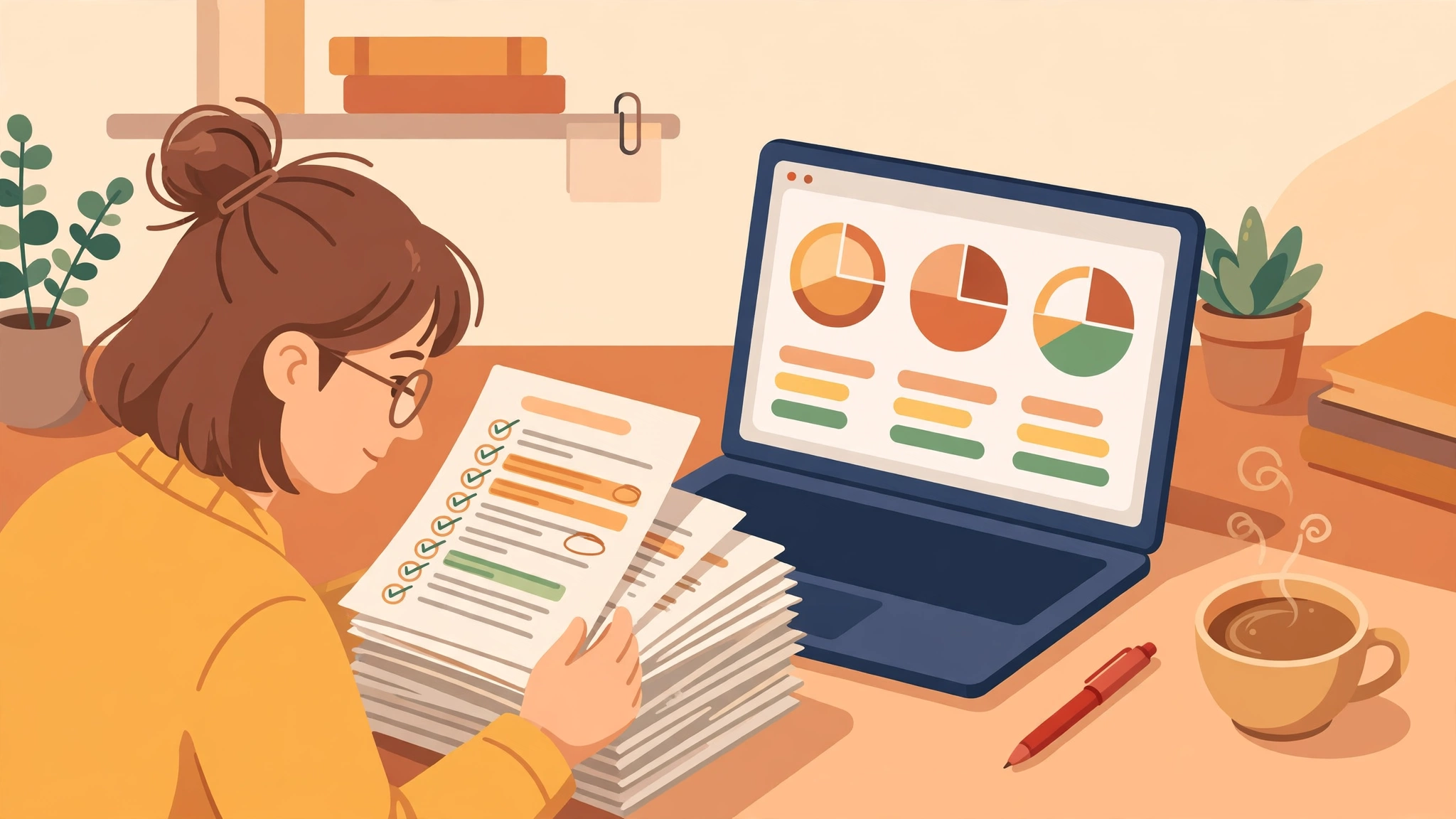
An AI essay grader is software that reads an essay, compares it against a rubric or a set of quality criteria, and returns a score with feedback — usually in seconds. Teachers use it to grade a whole class without spending a weekend on marking. Students use it to check their own essay before handing it in. This guide compares the best AI essay grader tools in 2027 for both jobs, explains what the free plans actually cover, and is honest about where AI grading still needs a human.
Key takeaways: An AI essay grader scores writing against a rubric and drafts feedback, but it does not truly understand your essay the way a teacher does. EssayGrader.ai is the strongest all-round choice for rubric-based grading, CoGrader is best for teachers who live in Google Classroom, and Smodin is the simplest free starting point for students. Almost no free plan is unlimited — expect a monthly submission cap or a word limit per essay. AI scores vary between tools and can be confidently wrong, so a teacher should always review an AI score before it counts, and a student should use a grader to learn, not to produce work they did not write.
Table of Contents
What is an AI essay grader?
An AI essay grader is a tool that uses a large language model to evaluate written work. You upload an essay or paste it in, choose or build a rubric — the criteria the essay is judged against, such as argument, evidence, structure, grammar and style — and the tool returns a score for each criterion, plus written feedback explaining the score.
That is different from a grammar checker. A grammar checker, like the tools in our guide to the best free grammar checkers, fixes spelling and sentence-level errors. An AI essay grader goes further: it judges whether the argument holds together, whether the evidence supports the claim, and whether the essay answers the question that was set. Some tools also draft the comment a teacher would write on the paper, suggest a grade, and flag passages that may need a second look.
There are two distinct audiences, and the best tool depends on which one you are. A teacher needs batch grading — a whole class of essays at once, graded against the same rubric, with results that can be exported or pushed into a learning platform. A student needs one essay checked well, with feedback that explains what to fix. The tools below are sorted by that split, because a tool built for one job is often a poor fit for the other.
How does an AI essay grader work?
Underneath, an AI essay grader works in four steps.
- It reads the essay and the rubric. The essay text and your criteria — either a rubric you upload, one of the tool’s prebuilt rubrics, or a set of custom instructions — are fed to a large language model.
- It scores each criterion separately. Instead of one overall mark, the model rates the essay on each part of the rubric: thesis, evidence, organisation, language, and so on. This is why rubric-based tools give more useful feedback than a single-number score.
- It writes feedback in plain language. For each criterion it drafts a short explanation: what worked, what was weak, and what to change. Some tools also suggest a corrected sentence or a stronger piece of evidence.
- A human reviews the result. This step is not optional. AI graders can misread an unusual argument, reward fluent writing over correct thinking, and disagree with each other on the same essay. The score is a draft, not a verdict.
Most tools also offer extras: handwriting recognition for scanned or photographed work, plagiarism and AI-writing checks, and integrations with Google Classroom or Canvas. Those extras matter more than the headline score, because they decide whether the tool fits into a real marking workflow.
Best AI essay grader tools in 2027 at a glance
| AI essay grader | Best for | Free plan | Rubric support |
|---|---|---|---|
| EssayGrader.ai | Rubric grading at volume | Yes, limited essays a month | 800+ prebuilt rubrics, custom upload |
| CoGrader | Google Classroom teachers | Yes, limited essays a month | 500+ state-aligned rubrics, custom upload |
| GradingPal | K-12 mixed assignment types | Yes, limited submissions | Rubric-based, handwritten work supported |
| Smodin | Students checking one essay | Yes, word-limited | Criteria-based scoring, no full rubric builder |
| Grammarly | Writing quality before grading | Yes, basic checks free | No rubric grading — quality feedback only |
| Turnitin Feedback Studio | Institutions and originality checks | No — institutional licence | Rubric grading with similarity and AI-writing reports |
| ProWritingAid | Detailed writing reports | Yes, limited reports | No rubric grading — style and structure reports |
| Brisk Teaching | Feedback inside Google Docs | Yes, free educator plan | Rubric-aligned feedback in the document |
Free plans and limits change often — check the official pricing page of any tool before building a routine around a limit.
EssayGrader.ai: the best AI essay grader for rubric grading at volume
EssayGrader.ai is built specifically for essay grading rather than general writing feedback, and it shows: the tool is organised around rubrics, with a large library of prebuilt rubrics and the option to upload your own. Teachers can grade a batch of essays against the same criteria and get a score per criterion, plus feedback and a suggested grade.
The free plan covers a limited number of essays a month with a word cap per essay, and the exact allowance has been quoted differently in different places — its own pages have listed different figures at different times — so treat the free tier as a trial of the workflow rather than a permanent routine, and check the live pricing page before relying on it. Paid plans raise the monthly essay count and the per-essay word limit. See the official EssayGrader.ai site.
CoGrader: the best AI essay grader for Google Classroom teachers
CoGrader is the grader to pick if your workflow runs through Google Classroom. It pulls student work in directly, grades against state-aligned or custom rubrics, and returns criterion-by-criterion feedback with editable scores, plus class-level trend analysis that shows which criteria the whole class struggled with. It also claims to learn your grading style over time, so its feedback starts to sound more like yours.
The free teacher plan covers a limited number of essays a month, with paid plans raising the cap. If you grade outside Google Classroom, much of CoGrader’s advantage disappears, so check whether your school uses Classroom before choosing it. Visit the official CoGrader site.
GradingPal: the best AI essay grader for mixed assignment types
GradingPal is the most complete option for teachers who grade more than essays. It handles handwritten work, maths, science and other assignment types alongside essays, and it connects to Google Classroom. That makes it a good fit for K-12 teachers whose marking pile is not one format.
The free allowance is the part to check carefully: different pages on the tool’s own site have quoted different monthly submission figures, so confirm the current number on the pricing page before planning around it. Paid plans raise the cap and add bulk import. See the official GradingPal site.
Smodin: the best AI essay grader for students checking one essay
Smodin is the simplest starting point for a student. Paste an essay, and its grader assigns a percentage score with feedback across structure, argument and grammar. It is not a rubric tool — you cannot build a detailed marking scheme — but for a quick “is this essay ready?” check before submitting, it is fast and easy to use.
The free tier is word-limited, so long essays need to be split or upgraded. Smodin also offers an AI-writing check, which is useful to know about but not something to rely on: detection tools can be wrong in both directions. Visit the official Smodin site.
Grammarly: the best AI essay grader for writing quality before grading
Grammarly is not an essay grader — it does not score against a rubric — but it belongs in this guide because most essays fail on writing quality before they fail on argument. Its free tier catches grammar, spelling and clarity issues, and the paid tier adds AI writing feedback that evaluates overall quality and suggests structural improvements.
Use it as the step before grading: run the essay through Grammarly, fix the language, then grade the ideas with a real grader. That order gives you a cleaner signal about what actually needs work. See the official Grammarly site.
Turnitin Feedback Studio: the best AI essay grader for institutions
Turnitin Feedback Studio is the institutional option. It combines rubric grading with similarity checking and an AI-writing report, and it is the tool most universities and schools already have. Its strength is consistency across a whole institution and a paper trail for every decision.
There is no self-serve free plan — access comes through an institution — and its AI-writing report is an estimate, not proof: Turnitin’s own guidance warns about false positives, and a flagged essay always needs a human conversation, not an automatic penalty. If your institution provides it, use it; if not, the other tools on this list are the practical alternatives. Visit the official Turnitin site.
ProWritingAid and Brisk Teaching: the best supporting tools
ProWritingAid gives the most detailed writing reports of any tool here — style, structure, overused words, sentence variety — and its free tier covers a limited number of reports. It does not grade against a rubric, but for a student who wants to understand why an essay reads badly, its reports are more useful than a single score. See the official ProWritingAid site.
Brisk Teaching works differently: it is a browser extension that adds AI feedback tools directly inside Google Docs and other tools teachers already use, with a free educator plan. If you want feedback without uploading essays to yet another platform, Brisk is the lightest-weight option here. Visit the official Brisk Teaching site.
How accurate are AI essay graders?
Honestly: useful, but not reliable enough to trust blindly. Independent comparisons and the tools’ own pages agree on the shape of the problem. AI graders are good at the surface of writing — grammar, structure, whether the essay answers the question, whether the evidence is present. They are weak at the substance — whether an argument is genuinely original, whether a piece of evidence is actually true, whether a creative answer deserves credit for breaking the pattern.
Three practical consequences follow. First, scores vary between tools: the same essay can get meaningfully different marks from two graders, because each one weights the rubric differently. Second, fluent writing can outscore correct thinking: a well-written essay with a weak argument often scores higher than a clumsy essay with a strong one. Third, AI detection is not grading: a tool that estimates whether text was AI-written is making a guess, and that guess can be wrong in both directions — flagging human writing and missing AI writing.
The safe way to use an AI essay grader is as a first pass. Let it do the fast, boring work — checking every essay against the rubric, drafting feedback, spotting the papers that need a closer look — and keep the final judgement with a human. For students, the same rule applies in reverse: use the feedback to rewrite and learn, and check your school’s policy before submitting anything an AI tool has touched.
How to choose an AI essay grader
Pick by the job, not by the brand name:
- Teacher grading a class: EssayGrader.ai or CoGrader. Rubric support and batch grading matter most; check the free monthly cap against your class size.
- Teacher in Google Classroom: CoGrader or Brisk Teaching. The integration saves more time than any feature.
- K-12 teacher with mixed work: GradingPal. Handwriting support is the deciding feature.
- Student checking one essay: Smodin for a quick score, Grammarly for the language, ProWritingAid for a deep report.
- Institution or university: Turnitin Feedback Studio, if your institution already provides it.
- Anyone on a strict budget: start with the free tiers of Smodin and Grammarly, and add a paid grader only when the free caps start costing you time.
Before committing to any tool, run the same three essays through it and through a second grader. If the scores disagree wildly, that tells you more about the tool than any marketing page will.
AI essay grader FAQ
What is an AI essay grader?
An AI essay grader is software that reads an essay, scores it against a rubric or a set of quality criteria, and returns feedback — usually a score per criterion with written comments explaining each one.
Is there a free AI essay grader?
Yes. EssayGrader.ai, CoGrader, GradingPal, Smodin, Grammarly, ProWritingAid and Brisk Teaching all offer free plans, but every one of them has a limit — usually a monthly submission cap or a word limit per essay. Check the official pricing page before relying on a limit.
Can an AI essay grader grade against a rubric?
The best ones can. EssayGrader.ai, CoGrader and GradingPal all support custom rubrics and offer large libraries of prebuilt ones. Simpler tools like Smodin score against fixed criteria instead.
Can students use an AI essay grader on their own work?
Yes, as a learning aid — to get feedback, spot weaknesses and rewrite. Check your school or university’s policy first: some institutions restrict AI tools, and submitting work you did not write is academic misconduct at most of them.
Can teachers trust an AI essay grader’s score?
As a draft, yes; as a final mark, no. Review every AI score before it counts, especially for essays with unusual arguments, creative answers or borderline marks. Scores vary between tools and can reward fluent writing over correct thinking.
Does an AI essay grader detect plagiarism or AI writing?
Some do — Turnitin’s AI-writing report and Smodin’s checker are examples — but detection is an estimate, not proof. A flagged essay always needs a human conversation, not an automatic penalty.
An AI essay grader is a force multiplier, not a replacement for judgement. Used well, it gives teachers their weekends back and gives students feedback while there is still time to act on it. Used badly — scores accepted without reading, feedback pasted without thinking — it produces marks nobody can defend. The tools above are the best of the current crop, and the free tiers are genuinely useful. Pick the one that fits your job, test it on real essays, and keep a human in charge of the final call. For more on the wider world of AI writing tools, see our guide to the best AI tools in 2027 — and if you want to sharpen your own sentences before grading, our guide to the best AI sentence rewriters is a good next step. At Digital Discoverist, we test AI tools so you can choose with confidence.
2 thoughts on “Best AI Essay Graders in 2027: Grade Essays Faster Without Losing the Human Touch”