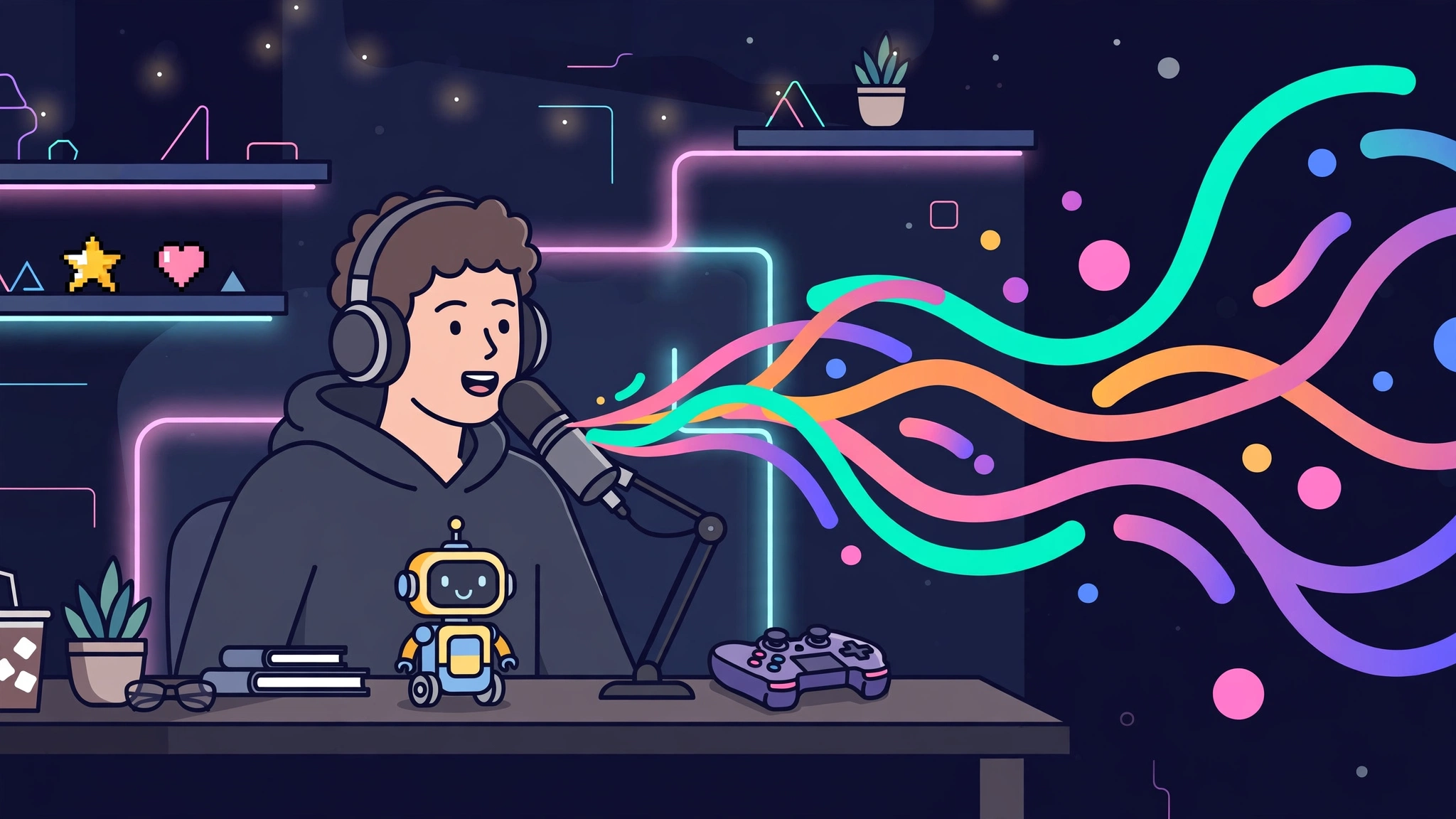
A free voice changer lets you talk into a microphone and sound like someone — or something — else, without spending anything. Gamers use one to play a character on Discord, streamers use one for entertainment, and creators use one to voice a video without recording in their own voice. The catch is that “free” means different things for different tools: some are genuinely free with no limits, some are free trials that stop working after a few days, and some give you a handful of voices for free and charge for the rest. This guide sorts out which is which, so you can pick a free voice changer that stays free for the job you actually want it for.
Key takeaways: The best free voice changer depends on how you will use it. Clownfish is the most genuinely free option — no time limit, no watermark, no paid tier — for live voice changing on Windows. Voicemod is the best free voice changer for Discord and gaming, with a rotating set of free voices. For changing a recording in a browser without installing anything, Magic Hour gives you three free voice changes a day with no signup. Most “free” voice changers are freemium: expect a rotating voice library, a daily minutes cap, or a watermark. And one rule matters more than any feature — never use a voice changer to impersonate a real person without their explicit permission, and never trust an unexpected voice call asking for money or passwords, because voice-cloning scams are real.
Table of Contents
What is the best free voice changer?
There is no single best free voice changer, because the tools do two different jobs. Live voice changers alter your microphone while you speak — you sound different on Discord, in a game, or on a call, in real time. Recorded voice changers take a finished audio file and convert it to a different voice afterwards. A tool that is excellent at one job is often useless at the other, so start by deciding which job you need.
If you want a quick answer: for live changing on a PC, start with Clownfish if you want it completely free, or Voicemod if you want the best voices and do not mind a rotating free set. For changing a recording, start with Magic Hour in your browser — no download, no account. For a phone, Voicemod Mobile or Voice.ai Mobile are the most capable free options. The table below ranks every tool by how free it really is, because that is the question that matters most.
How free is it really? The truth table
| Free voice changer | How it works | What is actually free | The catch |
|---|---|---|---|
| Clownfish | Live mic, Windows | Everything — all voices, no time limit | None found: no paid tier, no watermark; Windows only, older interface |
| Voicemod | Live mic, Windows/Mac, mobile | A rotating set of voices, free forever | Full library and VoiceLab need Pro; free voices change weekly |
| MorphVOX Junior | Live mic, Windows/Mac | Basic voices with pitch and formant shifting | Limited voice library; full version is a one-time purchase |
| Voice.ai | Live mic and recordings, desktop/mobile | Limited free voices | Best voices and cloning need a paid plan |
| Magic Hour | Browser, recorded audio | Three voice changes a day, no signup | Daily cap; paid plans needed for commercial use |
| Voxal | Live mic and recordings, Windows/Mac | Free for non-commercial use | Commercial use needs a paid licence |
| VoiceChanger.io | Browser, recorded audio | Free, no signup | Basic effects only; output limited to WAV in some flows |
| EaseUS VoiceWave | Live mic, Windows | Free download/trial voices | Check the current licence — trial terms and renewal offers vary |
| Myvoicemod | Browser, recorded audio | Free, no signup | Only a small set of effects; cannot apply effects to part of a track |
Free plans and limits change often — check the official page of any tool before building a routine around a free allowance. The tools below are described as they are listed on their own sites; where a free allowance is quoted differently in different places, the guide says so rather than picking one figure.
Live vs recorded: pick the right kind of free voice changer
A live voice changer installs a virtual microphone on your computer. Your real voice goes in, the changed voice comes out, and any app that uses a microphone — Discord, Zoom, a game, a stream — hears the changed voice. Clownfish, Voicemod, MorphVOX Junior, Voice.ai, Voxal and EaseUS VoiceWave all work this way. Live changers are the right choice for gaming, streaming, calls and roleplay, and they are the only kind that works when the other person needs to hear the changed voice immediately.
A recorded voice changer works on audio you already have. You upload a clip or record one, pick a voice, and download the changed version. Magic Hour, VoiceChanger.io and Myvoicemod work this way, and Voice.ai and Voxal can do it too. Recorded changers are the right choice for videos, podcasts, TikTok clips and any content where you can edit afterwards — and they are usually better quality, because the tool can take its time over a finished file instead of processing your voice live.
An online voice changer is a recorded changer that runs in the browser, with nothing to install. It is the fastest way to try voice changing at all: open the site, record or upload, pick a voice, download the result. The trade-off is quality and control — browser tools offer fewer voices, fewer adjustments, and sometimes restrict the download format. If you only need a voice change once, an online tool is the right answer. If you need it every day, install a desktop tool.
Clownfish: the most genuinely free voice changer
Clownfish Voice Changer is the closest thing on this list to a voice changer that is free without any conditions attached. It has been available for over a decade, works on Windows 10 and 11, and installs at the system level, so it applies its effects to your microphone input globally — Discord, Skype, Steam, browser calls and any other app, without reconfiguring each one separately. There are no time limits, no watermarks and no paid tier: the free version is the whole product.
The trade-off is that Clownfish is an effects processor, not an AI voice cloner. Its voices are pitch shifts, echo, reverb and character presets — fun and recognisable, but they will always sound like a processed version of your voice rather than a different person. If you want a robot, an alien, a deep voice or a helium voice for a game night, Clownfish is perfect and costs nothing. If you want to sound like a specific real person, it cannot do that — and you should not try to do that with any tool without the person’s permission. See the official Clownfish site.
Voicemod: the best free voice changer for Discord and gaming
Voicemod is the clearest starting point for live voice changing in games and on Discord. It installs a virtual microphone, offers a large library of AI voices and soundboards, and is built for the exact moment you need it: a game lobby, a stream, a Discord call. The free tier includes a rotating set of voices that changes regularly, so you always have something to use — but not always the voice you used last week, which is frustrating if you have a favourite character.
Unlocking the full library, the VoiceLab custom voice builder and the complete soundboard needs a Pro subscription. For most gamers the free rotation is enough to have fun, and the paid tier is only worth it if you stream regularly and need the same voices every session. Voicemod also has a mobile app with the same rotating free voices, which makes it the most flexible free option across devices. Visit the official Voicemod site for the current free voice rotation.
MorphVOX Junior: the free voice changer for a natural-sounding voice
MorphVOX Junior is the free version of Screaming Bee’s MorphVOX Pro, and it goes slightly beyond pure pitch-shifting: it applies formant shifting, which changes the character of a voice rather than just making it higher or lower. The result sounds more like a different person and less like a chipmunk, which is why it is a good fit for roleplay and streaming where the voice needs to hold up over a long session.
The free version has a limited voice library, and the full version is a one-time purchase rather than a subscription. If you want a small set of good voices that sound natural and you do not need a huge library, MorphVOX Junior is a strong free pick. If you want dozens of character voices, Voicemod’s free rotation will serve you better. See the official MorphVOX site.
Voice.ai: the best free AI voice changer
Voice.ai is the free voice changer to pick if you want AI-quality voice conversion — a voice that sounds like a different person rather than a pitched-up version of you. It offers real-time transformation for live use and recorded conversion for content, with a library of community and celebrity-style voices. The free tier includes a limited set of voices; the best voices and the cloning features need a paid plan.
Voice.ai is also available on mobile, which makes it one of the few free options that works for phone calls and mobile games. One warning: the celebrity-style voices are the part to be careful with. Using a voice changer to sound like a real person — a celebrity, a colleague, a family member — without their permission is not a prank, it is impersonation, and it can be used for fraud. Use Voice.ai’s original and character voices, not a real person’s voice. Visit the official Voice.ai site.
Magic Hour: the best free voice changer without a download
Magic Hour’s AI Voice Changer runs entirely in the browser: upload or record audio, choose from hundreds of preset voices, and generate the changed recording. It offers three free voice changes a day without an account, which is enough to try the tool properly and to change a short clip for a video. Paid plans are needed for commercial use and for higher volumes.
Magic Hour is the right choice when you have a finished recording and want a different voice on it — a TikTok voiceover, a video narration, a podcast segment — without installing software. It is not a live mic tool, so it will not change your voice on a call. For creators who make videos, it pairs well with the voice tools in our guide to the best free AI voice generators, and our guide to what AI voice is explains the technology behind both. See the official Magic Hour site.
Voxal, VoiceChanger.io, EaseUS VoiceWave and Myvoicemod: the other free options
Voxal Voice Changer is free for non-commercial use on Windows and Mac, and it works both live and on recordings. It is a solid, no-nonsense option for anyone who wants a simple voice changer without a subscription, though commercial use needs a paid licence — so do not use the free version for client work. See the official Voxal site.
VoiceChanger.io is the simplest online option: open the site, record or upload, pick an effect, download the result. There is no signup and no install, but the effects are basic and the download is limited in format. It is the right tool for a one-off joke or a quick test, not for regular content. Visit VoiceChanger.io.
EaseUS VoiceWave is a live Windows voice changer with effects and soundboards for games and streams. It offers a free download and trial voices, but check the current licence terms on the official EaseUS site before relying on it — trial terms and renewal offers vary, and the free tier is not as clearly defined as Clownfish or Voicemod.
Myvoicemod is a free browser tool with a small set of voice effects and no signup. Its limits are plain: only a handful of effects, and you cannot apply an effect to part of a track. It is fine for a quick experiment and not much more. See Myvoicemod.
Which free voice changer should you pick?
| Your job | Pick this | Why |
|---|---|---|
| Gaming or Discord, completely free | Clownfish | No limits, no paid tier, works in every app |
| Gaming or Discord, best voices | Voicemod | Largest free voice library, soundboards, mobile app |
| A natural-sounding different voice | MorphVOX Junior or Voice.ai | Formant shifting / AI conversion instead of plain pitch-shift |
| Changing a recording for a video | Magic Hour | Three free changes a day in the browser, no install |
| One quick change, no install | VoiceChanger.io | Free, no signup, instant |
| TikTok videos | TikTok’s built-in voice effects | Already in the app, fully free, no extra tool needed |
| Phone calls or mobile games | Voicemod Mobile or Voice.ai Mobile | Real-time changing on iOS and Android |
One tip that applies to all of them: test the voice with a friend before you use it live. A voice that sounds good in your headphones can sound distorted to everyone else, especially with pitch-shift tools. Record a short test, listen to it on a different device, and adjust the settings before your first real call or stream.
Is a free voice changer safe? The rules that matter
A free voice changer is safe to download if it comes from the tool’s official site — and only from the official site. Voice changer software has been bundled with unwanted programs when downloaded from third-party download portals, so always use the developer’s own page, linked above. Check what the installer asks for, and decline any bundled extras.
The more important safety rules are about how you use it. Never use a voice changer to impersonate a real person without their explicit permission — not a celebrity, not a colleague, not a family member. Impersonation is not a prank when it is used to deceive someone, and it is illegal in many places when it is used for fraud. Never trust an unexpected voice call asking for money, passwords or access codes, even if the voice sounds exactly like someone you know: voice-cloning scams are a real fraud risk, and the correct response is to hang up and verify through another channel, such as a text message or a call back to a number you already have. And if you use a changed voice in content, say so — your audience deserves to know the voice they hear is not a real person.
Frequently asked questions
Is there a truly free voice changer?
Yes. Clownfish Voice Changer is free with no time limit, no watermark and no paid tier — the whole product is free. MorphVOX Junior and Voxal are also free for personal use with a limited voice set. Most other “free” voice changers are freemium, with a rotating voice library, a daily cap or a watermark.
What is the best free voice changer for Discord?
Voicemod is the best free voice changer for Discord, with the largest voice library and soundboards built for gaming. Clownfish is the best fully-free alternative — it works in Discord without any limits, though its voices are effects-based rather than AI-generated.
What is the best free voice changer online without downloading?
Magic Hour is the best free online voice changer for recorded audio, with three free voice changes a day and no signup. VoiceChanger.io is the simplest option for a one-off change. Neither works as a live microphone, so they cannot change your voice on a call.
Can I change my voice in real time for free?
Yes. Clownfish, Voicemod, MorphVOX Junior, Voice.ai and Voxal all change your voice live through a virtual microphone, and all of them have a free tier. Install the software, select its virtual microphone in Discord, Zoom or your game, and your changed voice is what the other side hears.
Can a voice changer change my voice to a celebrity?
Some AI tools offer celebrity-style voices, but you should not use them to impersonate a real person. Cloning or imitating a real person’s voice without their permission can be used for fraud, and it is the exact behaviour that voice-cloning scam warnings are about. Use original or character voices instead.
What is the difference between a voice changer and a voice generator?
A voice changer takes your voice and alters it — pitch, tone, character — in real time or from a recording. A voice generator creates speech from text, with no human voice involved. If you want to sound different while you speak, you need a changer; if you want a narration read from a script, you need a generator. Our guide to the best free AI voice generators covers the generator side.
The best free voice changer is the one whose free tier matches your job and stays free while you use it. Start with Clownfish if you want zero limits, Voicemod if you want the best voices for gaming, or Magic Hour if you only need to change a recording. Test it with a friend first, use it for fun or for content — never to impersonate someone — and check the official pricing page before you pay for anything, because free tiers change. For more voice tools, see our AI voice guide and the rest of the Discover Tools archive on Digital Discoverist.
2 thoughts on “Best Free Voice Changers in 2027: Truly Free Tools for Games, Calls and Videos”