What Is Marketing Automation? The Short Answer
Marketing automation is software that carries out repetitive marketing tasks automatically, using rules and triggers you set once. Instead of sending every email by hand, posting every social update yourself and chasing every lead manually, you build a workflow once and the software runs it for every new subscriber, buyer or visitor. A new subscriber gets a welcome series, an abandoned cart triggers a reminder, and a hot lead gets flagged for your sales team, all without you touching a button. This guide explains what marketing automation is in plain English, shows real examples of the workflows small businesses actually use, compares the best marketing automation tools for 2027, and gives you a five-step plan to start.
If email is the part of marketing you already do, marketing automation is the system that sits around it. Our guide to the best email marketing tools in 2027 covers the email platforms themselves, while this guide covers the automation layer that connects email, social media, SMS and your customer records into one working system.
Table of Contents
Key Takeaways
- Marketing automation is software that runs repetitive marketing tasks on rules and triggers you set once, across email, social media, SMS and the web.
- A workflow starts with a trigger, such as a new subscriber or an abandoned cart, then runs a series of steps and records what happened.
- The most useful workflows for a small business are the welcome series, the abandoned cart reminder, lead scoring, the win-back email and the birthday message.
- HubSpot, Brevo, ActiveCampaign, Mailchimp, Klaviyo, Zoho Campaigns and Kit cover different business types, and most of them offer a free plan or trial to start on.
- Marketing automation is not the same as email marketing. Email is one channel; automation is the system of triggers, journeys and scoring around it.
- Start with one workflow, usually the welcome series, on a free tier. Automation amplifies a bad message as efficiently as a good one, so the message still has to be worth sending.
How Does Marketing Automation Work?
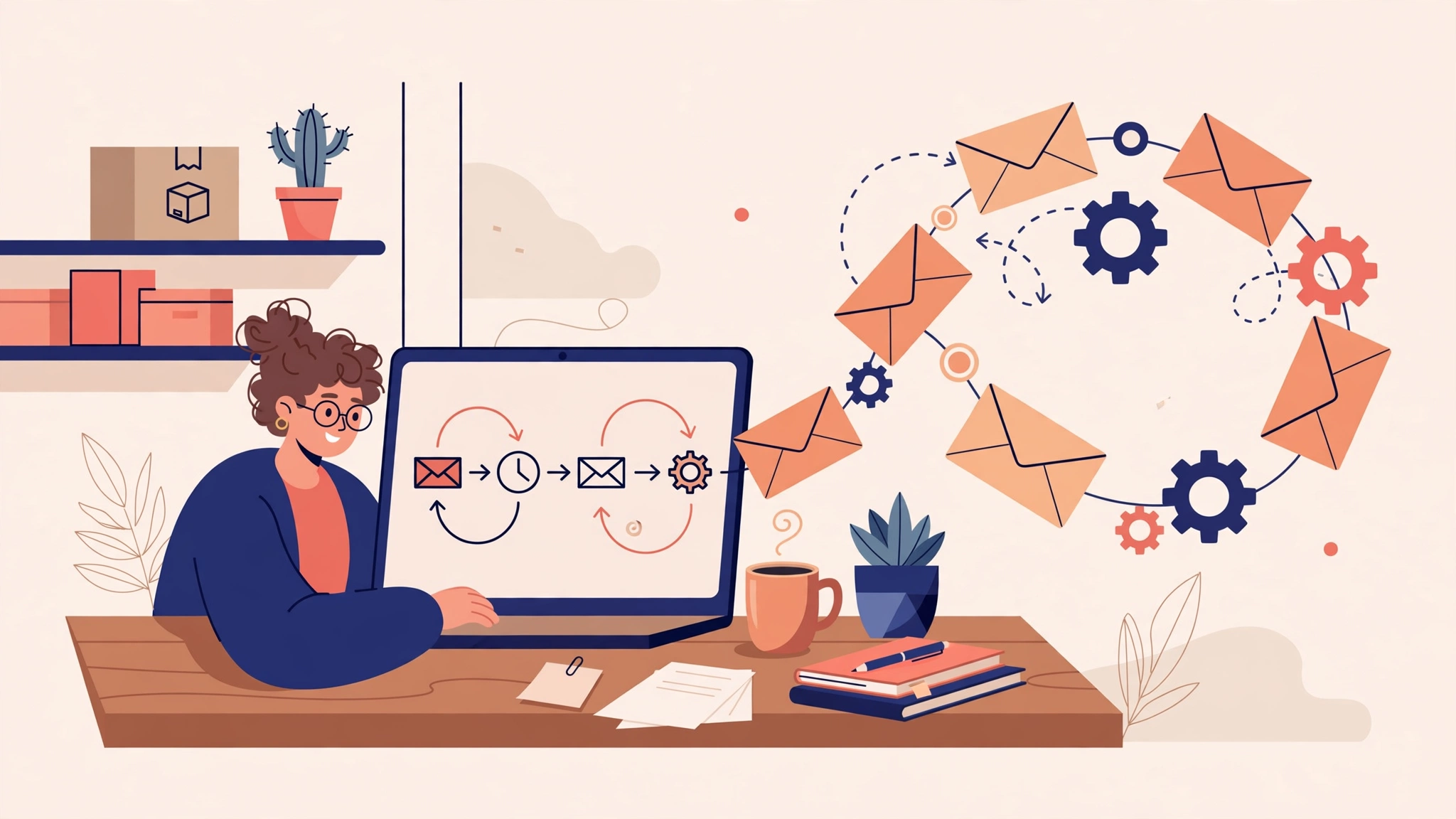
Marketing automation works on three simple parts: a trigger, a workflow and a record. A trigger is an event, such as someone joining your email list, abandoning a cart, clicking a link or visiting your pricing page. A workflow is the series of steps that runs when the trigger fires: send this email, wait two days, check whether they opened it, send a different follow-up if they did not. A record is the history the system keeps, so you can see which steps worked and which ones people ignored.
Here is the simplest version in practice. A visitor signs up for your newsletter. That signup is the trigger. The workflow sends a welcome email immediately, then a useful guide three days later, then a first-purchase offer on day seven. If the subscriber clicks the offer, the workflow tags them as interested and stops sending the introductory series. If they never open anything, the workflow moves them to a re-engagement list after sixty days. You set this up once. It then runs for the hundredth subscriber exactly as it ran for the first.
The software behind this is usually a marketing automation platform, and most of them share the same building blocks: an email builder, a visual workflow builder where you drag steps into order, a contact list with tags and segments, and a reporting screen. The differences between platforms are mostly about which channels they cover, how deep the workflows go, and how much they charge as your list grows.
What Does Marketing Automation Actually Do?
Marketing automation covers the marketing jobs that repeat. The exact list varies by platform, but these are the tasks almost every tool handles.
Email sequences
The core job. A platform sends a series of emails over days or weeks without manual work: welcome series for new subscribers, onboarding series for new customers, and nurture series for leads who are interested but not ready to buy. Each email can be personalised with the subscriber’s name, the product they viewed or the plan they are on.
Social media scheduling
Posts are written once, scheduled ahead of time and published across several networks. Some platforms also watch for replies and mentions and route them to one inbox, so a small team can answer from a single screen instead of opening five apps.
Lead scoring and segmentation
Not every lead is equal. Lead scoring gives points for behaviour: opening three emails, visiting the pricing page, downloading a guide. When a lead passes a score you set, the system flags them for the sales team or moves them into a hotter sequence. Segmentation splits the list by what people actually did, so a buyer and a browser stop receiving the same message.
SMS and WhatsApp messages
Several platforms now send text and WhatsApp messages from the same workflow as email. A common pattern is an email first, then a short text reminder for the people who did not open it. This only works with permission: people must have opted in to receive messages, and every message needs a clear way to opt out.
Lead capture
Forms, pop-ups and landing pages collect new contacts and feed them straight into a workflow. A download of a free guide, for example, can trigger the welcome series automatically, so the new lead hears from you within minutes instead of whenever someone remembers to check the inbox.
Reporting
Every step is measured: how many people opened, clicked, converted or unsubscribed. The useful reports are the simple ones, such as which email in a series earns the most sales and which step loses the most people, because those are the two places where a small change pays off.
Marketing Automation Examples That Show How It Works
Definitions only go so far. These five examples are the workflows small businesses actually run, and each one shows a different part of the system.
1. The welcome series
A new subscriber gets a welcome email on day one, a useful guide on day three and a first-purchase offer on day seven. The series introduces the business, proves it is useful and only then asks for a sale. It is the first workflow most businesses should build, because every new subscriber passes through it.
2. The abandoned cart reminder
An online store emails a reminder with the exact items a shopper left behind, usually within an hour, then a second reminder a day later. This is one of the highest-return workflows in ecommerce, because the buyer was already close to purchasing and often only needs a nudge, or an answer to a question about delivery or returns.
3. Lead scoring in action
A lead who opens three emails and visits the pricing page is flagged for the sales team, while a lead who never opens anything stays on the nurture list. The sales team spends its time on people who have shown interest instead of cold-calling the whole list, and the quiet leads keep receiving useful content until they are ready.
4. The win-back email
A customer who has been quiet for sixty days gets a “we miss you” email, often with a small incentive to return. This is cheaper than finding a new customer, and it also cleans the list: people who still do not respond can be removed, which improves deliverability for everyone who stays.
5. The birthday and anniversary message
A personal email sent on the customer’s birthday or on the anniversary of their first order, every year, with no manual work. It is a small gesture, but it is the kind of message people remember, and it costs nothing once the workflow exists.
The Best Marketing Automation Tools in 2027
No single tool fits every business. The right choice depends on what you sell, how big your list is and which channels matter to you. These seven cover the realistic options for a small business in 2027. Prices change often, so check the official pricing page before you commit to any of them.
| Tool | Best for | Free plan or trial | Automation strength |
|---|---|---|---|
| HubSpot Marketing Hub | Sales-driven teams that want CRM and marketing in one place | Free plan for up to 2 users | Lead scoring, journey orchestration, WhatsApp on higher tiers |
| Brevo | Small budgets that need email and SMS | Free plan | Email, SMS and WhatsApp workflows; billed on sends, not contacts |
| ActiveCampaign | Deep email workflows tied to a sales CRM | 14-day trial | 950+ automation recipes, behaviour-based triggers |
| Mailchimp | Beginners who want the familiar mainstream option | Free plan | Email journeys, social posting, AI copy drafting |
| Klaviyo | Online stores and direct-to-consumer brands | Free to 250 active profiles | Abandoned cart, product recommendations, deep ecommerce triggers |
| Zoho Campaigns | Businesses already using Zoho CRM | Free plan | Email and SMS with CRM sync and list segmentation |
| Kit | Creators and newsletter businesses | Free plan | Sequences, audience growth and creator monetisation |
HubSpot Marketing Hub
HubSpot is the all-in-one option: the email, the automation and the customer record live in the same system, so a lead’s behaviour and a salesperson’s notes sit side by side. The free plan covers up to 2 users, and paid plans start from around $9 a month per user depending on the tier, though some roundups list the Starter tier higher, so check the official pricing page. HubSpot fits sales-driven B2B teams that want marketing and sales in one place. Our guide to what CRM is explains the customer-record side of the same system. Visit the official site: HubSpot.
Brevo
Brevo, formerly Sendinblue, is the budget pick. It offers a free plan, paid Starter from around $9 a month, and bills on sends rather than contacts, which suits a business with a large list and modest sending. Email, SMS and WhatsApp run from the same platform. Brevo fits small businesses that want solid automation without paying for features they will never use. Visit the official site: Brevo.
ActiveCampaign
ActiveCampaign is the deep-automation pick. It offers a 14-day trial, paid plans from around $15 a month, more than 950 automation recipes and behaviour-based triggers that react to what each contact actually does. The automation is tied to a sales CRM, so a hot lead can move straight into a sales pipeline. It fits email-heavy teams that want to build serious multi-step journeys. Visit the official site: ActiveCampaign.
Mailchimp
Mailchimp is the familiar pick. It offers a free plan, paid Standard from around $20 a month, social posting on every plan and AI copy drafting for subject lines and content. It is the easiest option to explain to a new team member, and its hundreds of integrations mean it connects to almost anything. It fits beginners and small businesses that want the safe mainstream choice. Visit the official site: Mailchimp.
Klaviyo
Klaviyo is the ecommerce pick. It is free to 250 active profiles, with paid plans from around $60 a month, and it is built for online stores: abandoned cart flows, product recommendations based on browsing history, and post-purchase sequences that ask for reviews. If you sell through an online store, Klaviyo’s triggers understand your products in a way general tools do not. Visit the official site: Klaviyo.
Zoho Campaigns
Zoho Campaigns is the ecosystem pick. It handles email and SMS with CRM sync and list segmentation, and it makes the most sense for a business already running Zoho CRM, because the two share the same customer record. On its own it is a capable email tool; inside the Zoho ecosystem it becomes a proper automation platform. Visit the official site: Zoho.
Kit
Kit, formerly ConvertKit, is the creator pick. It focuses on sequences, audience growth and creator monetisation rather than enterprise features, and it fits bloggers, educators and newsletter businesses that sell digital products to their own audience. Visit the official site: Kit.
Two other names you will meet are Marketo, which is an enterprise B2B platform for large companies with long sales cycles, and Buffer and Hootsuite, which are social scheduling tools rather than full automation platforms. They are worth knowing about, but neither is the right first buy for a small business.
Marketing Automation vs Email Marketing: What Is the Difference?
Email marketing is one channel: designing and sending campaigns to a list. Marketing automation is the system around it: triggers, multi-step journeys, lead scoring and several channels working from the same customer record. A business can do email marketing without automation, but automation without an email list has nothing to send to.
The practical difference shows up in a simple test. If you send the same newsletter to everyone once a week, that is email marketing. If a new subscriber automatically receives a different series from a returning customer, and a cart abandoner receives a reminder with their exact items, that is marketing automation. The first is a broadcast. The second is a conversation that adapts to each person.
Most businesses should start with good email marketing and add automation one workflow at a time. Our email marketing tools guide covers the platforms to start with, and our AI tools for marketing guide covers the AI features, such as subject-line suggestions and send-time prediction, that several of these platforms now include.
How to Start with Marketing Automation in 2027
Starting is a smaller job than the sales pages suggest. Five steps, in order.
1. List the repetitive tasks you already do by hand
Write down the marketing jobs you repeat every week: welcoming new subscribers, reminding people about an offer, following up after a purchase, chasing quiet customers. The list is your automation backlog. If a task happens less than once a month, it probably does not need automating yet.
2. Pick one workflow to automate first
Choose the welcome series. Every new subscriber passes through it, it is easy to build, and it pays off immediately, because a new subscriber is at their most interested in the first week. Do not try to build five workflows in your first weekend. One working workflow beats five half-built ones.
3. Clean the list before you automate
Remove bounces and people who have never opened an email. Automation sends more email, and sending to dead addresses hurts deliverability for everyone else. Never buy a list: bought lists destroy deliverability and break the rules of every reputable platform.
4. Start on a free tier
Build the workflow on a free plan or trial before paying. Most of the tools above let you build a real welcome series for free. Pay only when the list or the sending volume outgrows the free tier, and then pay for the tier that matches the workflow you actually built, not the one with the longest feature list.
5. Measure one thing, then improve one step
Watch opens, clicks and conversions for the workflow, then change a single step: a better subject line, a shorter wait between emails, a clearer call to action. Small, measured changes beat a complete rebuild every time.
Is Marketing Automation Worth It for a Small Business?
For most small businesses with a growing list, yes, but with honest limits. Automation saves real time: a welcome series that runs itself is hours a week you get back. It also catches revenue that manual work misses, such as the abandoned cart nobody remembered to follow up. But it has limits worth knowing before you pay.
First, automation amplifies a bad message as efficiently as a good one. Sending a weak offer to a thousand people automatically is worse than sending a good offer to a hundred people by hand. Second, it needs clean data and a real list. A platform cannot fix a list full of dead addresses or people who never asked to hear from you. Third, it does not replace strategy. The software decides when to send; you still decide what to say and why anyone should care. Fourth, over-automation feels robotic. If every message a customer receives is clearly machine-sent, the relationship thins out. The best systems mix automated messages with real human contact.
A small business with a tiny list may not need automation yet. A good email tool can carry you until the list grows and the repetitive work starts eating your week. When that happens, automation is worth the price. You can find more business software guides in the Smart Software section of Digital Discoverist.
How Much Does Marketing Automation Cost?
Costs vary widely, and the pricing model matters as much as the number. Most platforms charge in one of three ways: per contact, per send, or per seat. A per-contact price grows with your list even if you rarely email it. A per-send price, such as Brevo’s, grows with how often you email, so a large list emailed rarely costs less. A per-seat price grows with your team.
Free tiers are genuinely useful for starting: HubSpot, Brevo, Mailchimp, Klaviyo and Kit all offer one, and ActiveCampaign offers a 14-day trial. Free tiers usually cap contacts and daily sends and add the platform’s branding to your emails, so check the limits before you build a list on one. Paid plans for small businesses generally start in the region of $9 to $20 a month and rise with contacts, sends and features. Check the official pricing page for the exact figure before you commit, because prices and plan names change several times a year.
Frequently Asked Questions
Can I do marketing automation for free?
Yes, for starting out. HubSpot, Brevo, Mailchimp, Klaviyo, Zoho Campaigns and Kit all offer free plans that cover a basic welcome series and simple workflows. Free tiers cap contacts and sends, so expect to pay once your list grows.
Does marketing automation replace marketers?
No. It replaces repetitive sending, scheduling and follow-up, not judgement. Someone still has to decide what to say, who to say it to and whether the message is worth sending. The best results come from a human setting the strategy and the software running it.
What tasks can marketing automation handle?
Email sequences, social media scheduling, SMS and WhatsApp messages, lead scoring and segmentation, lead capture through forms and landing pages, and reporting on opens, clicks and conversions. It handles repetitive, rule-based work; it does not handle creative decisions or real conversations.
What is the best marketing automation tool?
There is no single best tool. HubSpot fits sales-driven teams that want CRM and marketing together, Brevo fits small budgets, ActiveCampaign fits deep email workflows, Mailchimp fits beginners, Klaviyo fits online stores, Zoho Campaigns fits Zoho users, and Kit fits creators. Pick by your business type, not by the longest feature list.
What is the difference between marketing automation and a CRM?
A CRM stores what you know about each customer: their details, purchase history and conversations. Marketing automation acts on that knowledge: it sends the right message at the right time based on what the CRM knows. Most serious setups use both, and several platforms, such as HubSpot, sell them as one system.
Do I need marketing automation if I already send a newsletter?
Not necessarily. A weekly newsletter is email marketing, and a good email tool handles it well. Automation earns its price when you want different subscribers to receive different journeys, such as a welcome series for new joiners and a win-back series for quiet customers, without doing it all by hand.
1 thought on “What Is Marketing Automation in 2027? Tools, Examples and How to Start”