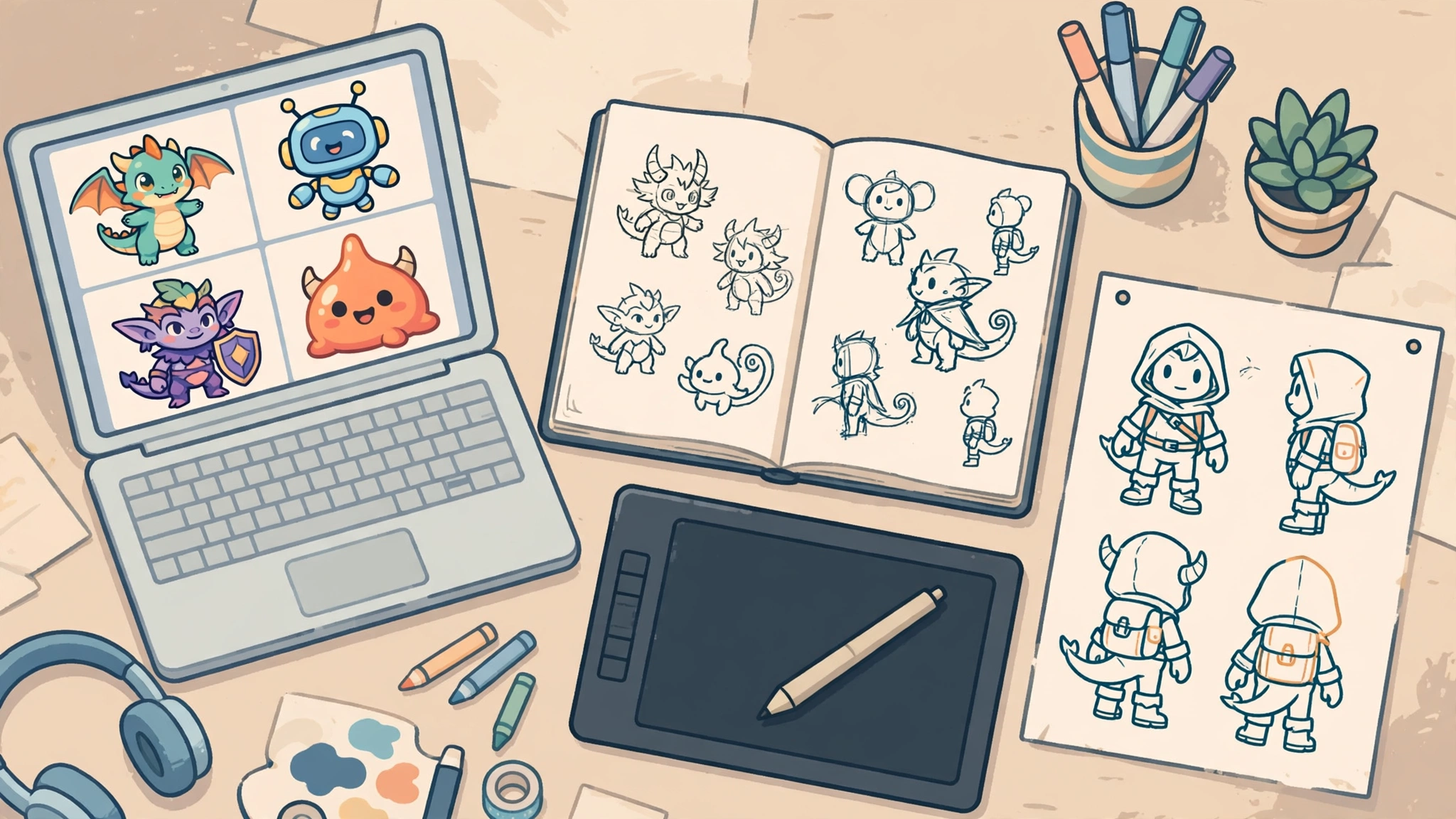
What Is a Character Creator?
A character creator is a tool that helps you design a fictional character, either by drawing how the character looks or by giving it a personality you can talk to. An AI character creator does the same thing with artificial intelligence: you describe the character in plain words, and the tool generates the artwork, the 3D model, or the chat personality for you. One prompt can produce a game hero, a story protagonist, a mascot, an anime character, or a virtual avatar, so you can create AI character art in minutes.
Two different jobs share the keyword “character creator”, and mixing them up is the fastest way to pick the wrong tool. The first is visual character design: drawing what a character looks like. The second is a chat or persona character: a character with a personality and a way of speaking, built to talk with you. This guide covers both, sorts the tools by the job you actually need, and teaches you the method that keeps a character looking the same from image to image. Our guide to what an AI image is explains how these generators work under the hood.
Table of Contents
Key Takeaways
- A character creator does one of two jobs: visual character design (how a character looks) or a chat persona character (how a character talks). Pick by the job, not by the brand name.
- The best character creator for game art is a tool built for consistency, such as Scenario or Leonardo.Ai. For artistic quality, Midjourney leads. For anime, NovelAI is the specialist.
- Character.AI is the best-known place to create a character you can chat with, and it is free with limits.
- Meshy and Tripo AI turn text or a single image into a textured 3D character mesh, the fastest 3D character creator workflow.
- Consistency comes from one reference image and one character sheet, reused in every prompt.
- Free character creator options exist, but every free tier has limits, and commercial use depends on the tool and the plan, so read the tool’s own terms first.
What Is the Best AI Character Creator?
There is no single best AI character creator, because the best tool depends on what you want the character for. A game developer needs a consistent character sheet. A novelist needs a face that matches the character in their head. A streamer needs an avatar that reads clearly at small sizes. The table sorts the leading tools by the job they do best.
| Job | Best tool | Why it wins | Free option |
|---|---|---|---|
| Game character creator | Scenario | Game art with custom model training on your concept art | See pricing page |
| Artistic concept art | Midjourney | Strongest painterly style; character reference holds the face across poses | No free tier |
| Controlled game and entertainment art | Leonardo.Ai | Character Reference and Image Guidance in a clean web app | Yes, with limits |
| Anime character creator | NovelAI | Anime and manga specialist with clean line work | See pricing page |
| 3D character creator | Meshy | Text or image to textured 3D mesh, auto-rigged and animated | See pricing page |
| Chat persona character | Character.AI | Create a character with a personality and chat | Yes, with limits |
| Avatar for games and virtual worlds | Ready Player Me | Avatar from a selfie for games and virtual worlds | Shut down 31 Jan 2026 |
| Commercially safe character art | Adobe Firefly | Licensed training data, enterprise IP indemnification | Yes, with limits |
| Mixing and evolving portraits | Artbreeder | Blend character portraits from shared genes | See pricing page |
| Brand-consistent vector characters | Recraft | Vector output, brand-consistent sets, editable SVG | See pricing page |
If you only need one tool and you work in 2D, start with Leonardo.Ai: its free tier lets you learn the workflow before you pay, and its Character Reference tool solves the consistency problem that frustrates most beginners. If you work in 3D, start with Meshy. If you want a character to talk to, start with Character.AI.
How Do I Create a Character with AI?
Get the order right and you will have a usable character on the first or second try instead of the tenth.
- Write the character down first. Two or three sentences: who they are, what they look like, what they wear, and what mood they carry. “A brave young cartographer with curly red hair, a patched green coat, and a brass compass” is a character. “A cool warrior” is not.
- Pick the tool by the job. Visual design, 3D model, or chat persona: each needs a different tool, as the table above shows.
- Generate a first reference image. One strong image of the character facing the camera, in good light, with the whole outfit visible. Our guide to text to image AI explains how to write prompts that give you the picture you actually want.
- Build a character sheet. A short, fixed block of text you paste into every prompt: face, hair, outfit, colours, and style words. Keep it identical every time and change only the pose, the action, and the setting.
- Generate variations, then pick one. Generate four versions of the same prompt, keep the best, and edit that one image rather than starting over.
- Check the terms before you use the character. If the character will appear in a game, a book, a video, or a product you sell, read the tool’s own terms first.
The Best Character Creator Tools for Visual Design
Midjourney: the most artistic character creator
Midjourney makes the most painterly character concept art in this guide, with a polished quality that suits illustration, fantasy, and cinematic scenes. Version 7 character reference and style reference flags keep the same character’s identity across poses. It is paid only, with no free tier.
Leonardo.Ai: the most controlled AI character creator
Leonardo.Ai brings Stable Diffusion-style control into a clean web app for game and entertainment artists. Its Character Reference tool and Image Guidance features steer the output precisely, and its AI character creator free tier with limits lets you learn the workflow before spending anything.
Adobe Firefly: the safest character creator for commercial work
Adobe Firefly is trained on licensed Adobe Stock content and openly licensed and public-domain material, the most defensible choice for commercial use. It offers enterprise IP indemnification on the right plans and is built into Photoshop and Express. A free tier exists with limits.
Scenario: the game character creator built for studios
Scenario is purpose-built for game art, and character consistency is its whole pitch. You can train custom models on your own concept art, so the tool learns your character and your style instead of making you describe them from scratch.
NovelAI: the anime character creator specialist
NovelAI is the specialist for anime and manga character art, with clean line work and a strong sense of the anime style. General image tools can draw anime, but they often drift into a generic cartoon look.
Artbreeder: mix and evolve character portraits
Artbreeder takes a different approach: instead of generating a character from a prompt, you blend and mix character portraits from shared genes. Slide the controls and a face becomes older, younger, happier, or more rugged.
Recraft: brand-consistent vector characters
Recraft produces vector output alongside raster images, so your character scales cleanly from a tiny app icon to a billboard without losing sharpness. It is built for brand-consistent character sets, with editable SVG output.
Stable Diffusion with ComfyUI: the free, full-control option
Stable Diffusion run through ComfyUI is the open-source route. It is free apart from the cost of the computer power to run it, and it gives you the deepest control of any option here. LoRA training teaches the model your exact character, and ControlNet gives pixel-level control over pose and composition.
How Do I Design a Game Character with AI?
Designing a game character with AI follows the same steps as any character, with two extra demands: the character must look the same in every image, and the art must fit the game. Start with a character sheet and one strong reference image. For early concept art, Midjourney gives you the most striking ideas fastest. For production art, Scenario or Leonardo.Ai gives you the consistency a game needs.
Think in sets, not single images. A game character needs a front view, a side view, a back view, expressions, and action poses. Generate the turnaround first, approve it, and only then generate the poses. Our guide to AI picture generators covers the wider set of tools for backgrounds, props, and environment art. And if your character also needs a face for a profile or a stream overlay, our free AI headshot generator guide covers the tools for a clean headshot.
Can AI Generate a 3D Character?
Yes. A 3D character creator turns text or a single image into a three-dimensional model, and the newest tools do it in minutes rather than days. Meshy is the best-known option: give it a text description or one image, and it produces a textured 3D character mesh with auto-rigging and animation. Tripo AI is its closest competitor and produces a textured 3D character mesh in under a minute from text or image.
There is a second kind of 3D character creator worth knowing about. Ready Player Me used to build an avatar for games and virtual worlds from a selfie, which is a different job from generating a fantasy character from a prompt. Use Meshy or Tripo AI for an original 3D character for a game or a render. Ready Player Me itself is no longer available for new avatars: its public service shut down on 31 January 2026 after Netflix acquired the company. Either way, check the official pricing page first, because free tiers and export limits change.
Can I Chat with an AI Character?
Yes, and this is the second half of the character creator world. A chat character is a persona: a character with a name, a personality, a backstory, and a way of speaking, built to hold a conversation with you. People use chat characters for roleplay, for practising conversations, and for story brainstorming. The character is text, not an image, so the skills that matter are writing and personality design rather than drawing.
What Is Character.AI?
Character.AI is the best-known platform for chat characters, and the clearest example of a character AI creator in action. You create a character with a personality and chat with it in plain conversation. The platform is free with limits, which is why it is the usual first stop. When you create a character, write the personality as specific traits, not vague praise: “a gruff retired sea captain who answers every question with a story about the ocean” beats “a nice pirate”.
How Do I Keep a Character Consistent Across Images?
This is the question that decides whether your character feels like one person or ten strangers in the same outfit. AI image tools do not remember your character between prompts, so you carry the memory yourself. The method has three parts.
First, build one reference image. Generate a single strong image of the character facing the camera, in neutral light, with the full outfit visible, and save it. In Midjourney, feed it back with the character reference flag. In Leonardo.Ai, use the Character Reference tool. Elsewhere, upload it as an image reference or keep the same seed.
Second, write a character sheet and never change it. A character sheet is a fixed block of text: face, hair, eyes, outfit, colours, and style words, always in the same order and the same wording. Paste it into every prompt, changing only the pose, the action, and the setting. Rewrite it each time and the character drifts; reuse the same words and it holds.
Third, keep the prompt structure the same. Use the same style words, format, and framing for every image in a set, and change one thing at a time. When the face has drifted, regenerate from the reference image. Consistency is a discipline, not a feature.
What Is the Best Free Character Creator?
The best free character creator depends on which job you need done for free, because no single free tool covers everything. Leonardo.Ai offers a free tier with limits and is the best free starting point for visual character design, thanks to its Character Reference tool. Character.AI is free with limits and is the best free option for a chat persona character. Stable Diffusion through ComfyUI is free apart from the computer power to run it.
Be honest with yourself about what “free” means here. Free tiers limit how many images you can make, how fast you can make them, or which features you can use, and those limits change. A free tier is perfect for learning the workflow and for a first character. If you need dozens of consistent images for a game or a commercial project, expect to pay for a plan, and check the official pricing page for the current free limits first.
Can AI Create a Character for My Story?
Yes, and this is one of the best uses of a character creator. A story character needs a face your readers can picture, and AI can give you that face in minutes. Start by writing the character the way you would in your notes: age, build, hair, eyes, clothes, and the one detail that makes them memorable. Generate a reference portrait from that description, then use the character sheet method to keep the face steady across every scene.
AI is also useful before the drawing starts. A chat character built on Character.AI can help you test how your character talks: give it the personality you wrote, ask it questions, and see whether the answers sound like the person in your story. If the answers feel wrong, the personality description needs work, not the tool. Use the AI character generator as a sketchpad, and keep the final decisions yourself. The tool draws the face; you write the person.
Can I Use AI Characters Commercially?
It depends on the tool and the plan. Most paid plans grant commercial use of the characters you generate, and some free tiers do too, but others do not, and the terms change. That is the honest answer.
Three rules keep you safe. First, read the terms of the tool you actually used, not a summary on another blog. Second, do not generate characters based on real, identifiable people or trademarked characters and use them commercially. Third, Adobe Firefly is the most comfortable choice for commercial work because of its licensed training data and enterprise IP indemnification, while open tools such as Stable Diffusion give you the most freedom to run things yourself. When in doubt, treat the character as an asset you have a licence to use, not as property you own outright, and check the tool’s own terms before you publish anything you sell.
Which Character Creator Should You Pick?
- Designing a game character: Scenario for production art, or Leonardo.Ai for controlled concept art on a free tier.
- Most beautiful concept art: Midjourney, using its character reference flag to hold the face steady.
- Anime: NovelAI, the specialist for anime and manga character art.
- 3D character: Meshy or Tripo AI, which turn text or an image into a textured 3D mesh.
- Character to chat with: Character.AI, free with limits.
- Commercial use: Adobe Firefly, with licensed training data and enterprise IP indemnification.
Most people only need one tool. Pick the one that matches your main job, build one reference image and one character sheet, and reuse both. Here at Digital Discoverist, we test AI tools so you can skip the ones that waste your time. For the wider set of tools we recommend, see our best AI tools pillar, and browse our Discover Tools guides for more.
Frequently Asked Questions
What is AI character design?
AI character design is the visual half of character creation: using an AI tool to design how a character looks, from face and hair to outfit and style. Building a chat persona, which designs how a character talks, is the other half.
What is the difference between an AI character generator and an AI character maker?
There is no real difference. “AI character generator”, “AI character maker”, and “AI character creator” are different names for the same kind of tool. Pick by the job, visual design, 3D modelling, or chat persona, not by the label.
Is there a character creator app I can use on my phone?
Yes. Most tools in this guide run in a web browser, which works on a phone. Character.AI works well on mobile, and Leonardo.Ai and Midjourney run in the browser on a phone. For detailed work, a laptop is still easier.
Can I use a character creator online without downloading anything?
Yes. Midjourney, Leonardo.Ai, Adobe Firefly, Scenario, NovelAI, Meshy, and Character.AI all run online in a browser, with nothing to download. The exception is Stable Diffusion with ComfyUI, which runs on your own computer.
What is the best anime character creator?
NovelAI is the best specialist for anime character creation, with clean line work and a strong sense of the anime and manga style. General image tools can draw anime, but they often drift into a generic cartoon look.
3 thoughts on “Best Character Creator Tools in 2027: AI Characters for Games, Stories and Avatars”