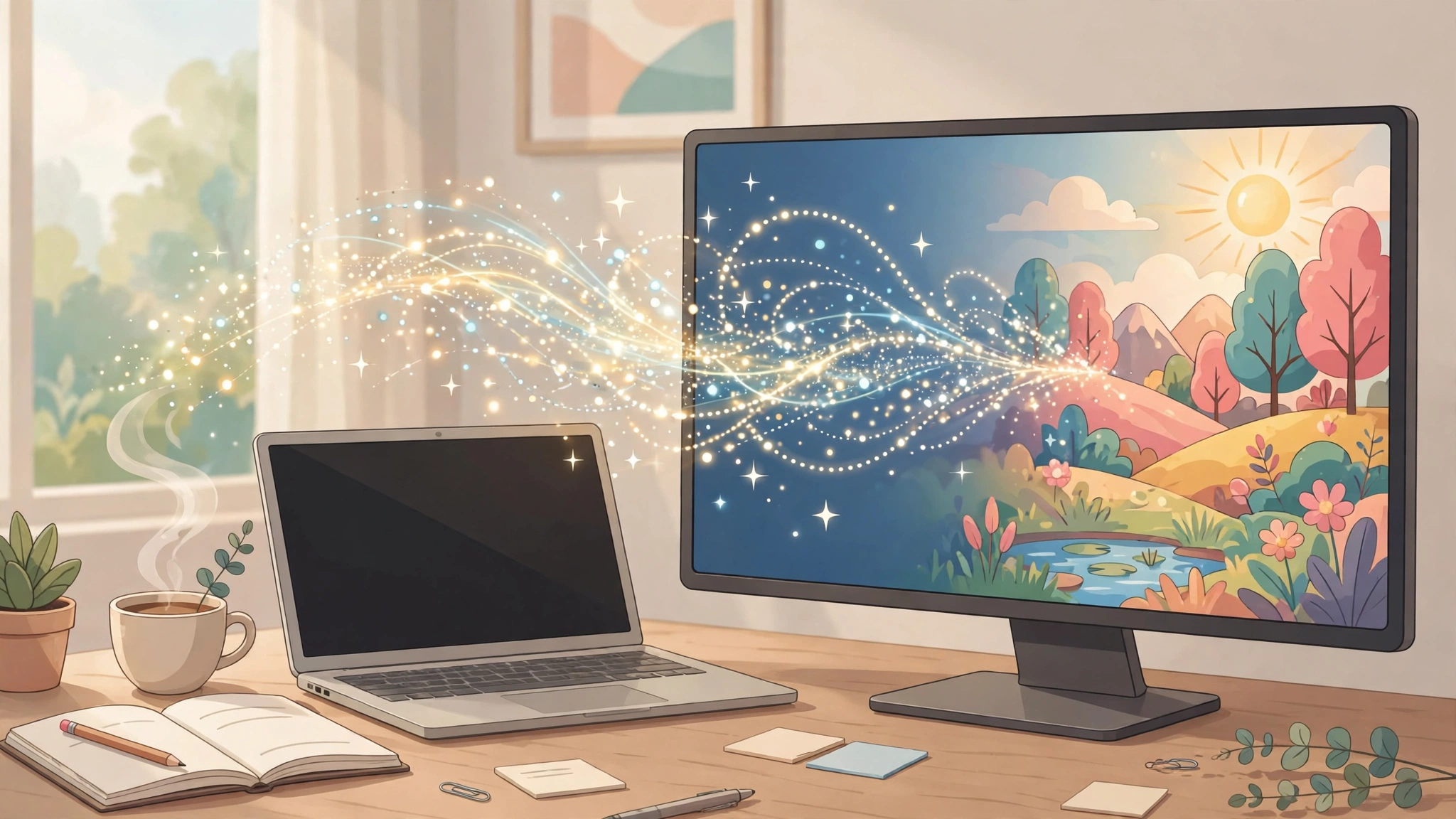
What Is Text to Image AI? The Short Answer
Text to image AI is software that turns a written description into a picture. You type a sentence — “a lighthouse on a cliff at sunset, watercolour style” — and the tool generates an original image that matches it. The picture is not copied from anywhere: the model creates it from scratch, guided by what your words describe. In 2027 the best tools are good enough for social posts, blog illustrations, product mockups, and storyboards, and several of them are free to try. This guide explains how text to image AI works in plain language, how to write prompts that get great results, and which tool fits each job.
Table of Contents
Key Takeaways
- Text to image AI converts a written prompt into a brand-new image — it does not search for or copy an existing picture.
- Most modern tools use diffusion: they start from random noise and refine it step by step until it matches your description.
- A good prompt names the subject, the scene, the light, the camera or lens, and the style — in that order.
- Change one thing at a time when a result is wrong: prompt, model, or settings — never two at once.
- Free tiers are real, but check the fine print: daily limits, watermarks, and commercial-use terms vary by tool.
- AI images still struggle with hands, small text, and counting objects — plan around those limits instead of fighting them.
What Is Text to Image AI?
A text to image AI model is a machine learning system that takes a natural-language prompt as its input and produces an image that matches that description. The idea sounds simple, but it is one of the most useful things AI does today: it turns an idea in your head into a visual you can use, without a camera, a drawing tablet, or a stock-photo subscription.
People use text to image AI for blog illustrations, social media posts, book covers, product mockups, mood boards, storyboards, game art, and quick visual brainstorming. Our roundup of the best AI picture generators compares the leading tools by picture type; this guide explains the technology underneath them and how to get good results from any of them.
The first modern text-to-image model, alignDRAW, appeared in 2015, but the technology only became genuinely useful in 2022, when OpenAI’s DALL-E 2, Google’s Imagen, Stability AI’s Stable Diffusion, and Midjourney began producing images close to photographic quality. Since then the models have improved every year: better faces, better lighting, and — more recently — text inside images that is actually spelled correctly.
How Does Text to Image AI Work?
Almost every leading text to image AI tool follows the same three-step pipeline. You do not need the maths to use these tools well, but knowing the pipeline explains why prompts behave the way they do.
Step 1: Your words become numbers
A text encoder reads your prompt and turns it into a mathematical representation called an embedding — a list of numbers that captures what your words mean and how they relate to each other. Models such as CLIP, built by OpenAI by training on hundreds of millions of image-and-caption pairs, are good at this: they know that “golden hour” relates to warm light, and that “watercolour” relates to soft edges and visible paper texture.
Step 2: Noise becomes an image
A diffusion model starts with a canvas of pure random noise and removes a little of it, step by step, using the embedding as a compass, until a coherent picture forms. The idea comes from a 2015 paper by Jascha Sohl-Dickstein, and the modern version arrived in a June 2020 paper by Jonathan Ho, Ajay Jain, and Pieter Abbeel. A diffusion model does not learn to draw; it learns one skill extremely well — undoing damage — and it applies that skill hundreds of times to turn static into a scene.
Step 3: The picture gets rendered
A decoder translates the finished result into the actual pixels you see on screen, at the size and aspect ratio you asked for. Some tools then run a final upscaling pass so the image is sharp enough to publish.
The practical consequence of this pipeline is simple: the model does not understand your prompt the way a person would. It understands proximity — which words tend to appear near which kinds of pictures. That is why specific, visual language works better than abstract adjectives, and why the same prompt can give you four very different images.
How to Write a Prompt for Text to Image AI
Prompt writing is a skill, and it is learnable in an afternoon. The repeatable structure below works across Midjourney, DALL-E, Firefly, Ideogram, and Stable Diffusion, because every one of them reads the same kinds of cues.
The five-part prompt formula
Write one sentence first, in this order:
- Subject: what is in the picture — “a red bicycle leaning against a brick wall”.
- Scene and setting: where it is — “on a quiet Amsterdam street in the morning”.
- Light: the time and quality of light — “soft golden-hour sunlight, long shadows”.
- Camera or lens: how it was shot — “shot on a 50mm lens, shallow depth of field”.
- Style: the look — “photorealistic” or “flat vector illustration” or “watercolour painting”.
Put together: “A red bicycle leaning against a brick wall on a quiet Amsterdam street in the morning, soft golden-hour sunlight, long shadows, shot on a 50mm lens with shallow depth of field, photorealistic.” That single sentence gives the model everything it needs. Add details only after the first version works.
Worked example: fixing a bad result
Suppose you ask for “a cosy reading nook” and get a dark, cluttered room. Do not rewrite the whole prompt. Change one variable at a time:
- Too dark? Add light: “bright morning light through a large window”.
- Too cluttered? Add a constraint: “minimal, one armchair, one bookshelf, plain wall”.
- Wrong mood? Change the style word: “warm and airy” instead of “cosy”.
- Wrong framing? Add the camera cue: “wide shot, eye level”.
Generate two to four variations of each version, not one. The first result is a direction, not a verdict — and changing one thing at a time is the only way to learn which change actually helped.
Prompt words that actually help
| What you want | Words that help | Words that do not |
|---|---|---|
| Realistic photo | photorealistic, natural light, 85mm portrait lens, candid | real, good, nice photo |
| Clean product shot | studio lighting, plain background, centred, soft shadows | professional, beautiful product |
| Illustration | flat vector illustration, bold shapes, limited palette | cartoonish, fun drawing |
| Text in the image | large clear text reading “…”, simple sans-serif lettering | with some words on it |
| Consistent character | same character, reference image, consistent face and outfit | again, like before |
Which Text to Image AI Tool Should You Use?
There is no single best text to image AI — the right tool depends on the job. Use this table to decide in seconds, then read the notes below it.
| Job | Best pick | Why |
|---|---|---|
| Striking artistic images | Midjourney | Distinctive, polished style; strong community styles to learn from |
| Images inside ChatGPT | ChatGPT (GPT Image) | Conversational editing — describe changes in plain words |
| Commercial work, licensed training data | Adobe Firefly | Trained on licensed content; built into Adobe apps |
| Free and open, run it yourself | Stable Diffusion | Open weights; runs locally; huge community of fine-tuned models |
| Text inside images | Ideogram | Built specifically around accurate, well-placed text |
| Editing a photo you already have | ChatGPT image editing or Firefly | Reference-image editing keeps the subject consistent |
Midjourney remains the pick when the look matters most — its default style is unusually polished, and its community gallery is the fastest way to learn prompting by example. ChatGPT’s image generation is the easiest starting point for most people, because you can ask for changes in conversation (“make the sky warmer”, “remove the bicycle”) instead of rewriting prompts; our guide to the ChatGPT image generator walks through that workflow. Adobe Firefly is the safest choice for client work, since Adobe trains it on licensed content and offers indemnification for business users — check Adobe’s own pages for the current terms. Stable Diffusion is the open option: free to run, endlessly customisable, and the model behind many free tools. Ideogram is the specialist for posters, logos, and anything where the words inside the image must be spelled right. For the technical background, the Wikipedia article on text-to-image models is a solid reference.
Is Text to Image AI Free?
Yes — with limits. Most leading tools offer a free tier or free trial, and several are genuinely free: Stable Diffusion can be run on your own computer at no cost, and tools such as Firefly and Ideogram include a free monthly allowance. The honest catch is the fine print, which differs by tool: daily generation limits, lower resolution on free plans, watermarks on some services, and different rules about commercial use. Before you build a project around a free tier, read the tool’s own pricing and terms pages — free allowances change often, and a plan that was free last month may not be free today.
A practical rule: use free tiers for learning and drafts, and pay for the tool you actually ship work with. The paid plan usually buys higher resolution, faster generation, and the commercial licence you need for client work.
What Text to Image AI Still Gets Wrong
Knowing the limits saves more time than any prompt trick. The common failures in 2027 are:
- Hands and fingers: extra fingers, missing fingers, or hands merged with objects. Diffusion models have no concept of a hand — they have never counted fingers. Crop hands out, or generate the image without visible hands.
- Text in images: misspellings, garbled letters, or text in the wrong place. Ideogram handles this best; other tools still struggle with more than a few words.
- Counting: “three cats” may come back as two or four. Ask for a small number and check the result.
- Faces and identity: faces can look slightly off, and no tool can reliably reproduce a real person’s face from a text description alone — use a reference image where the tool supports it.
- Consistency across images: the same character will drift between generations unless you use a tool with reference-image or character-consistency features.
When a result has one of these flaws, do not keep re-rolling the same prompt. Change the composition so the flaw cannot appear — a close-up instead of a full body, a shorter phrase instead of a paragraph of text, a reference image instead of a description.
Text to Image AI vs Image to Image
Text to image AI starts from a written prompt and nothing else. Image-to-image starts from a picture you upload — a photo, a sketch, a screenshot — and transforms it: change the style, swap the background, or turn a rough sketch into a finished illustration. Most modern tools do both, and the workflow that gets the best results usually combines them: generate from text first, then use image-to-image edits to fix the details. If you need to extend a photo rather than transform it, our guide to the best AI image extenders covers that job, and our free AI photo editors roundup covers AI editing of real photos.
Who Owns an AI-Generated Image?
This is the question every creator asks, and the honest answer is that the law is still settling. The picture is generated by software, not taken from an existing photo, so there is no photographer to credit — but ownership and commercial-use rules depend on where you live and which tool you used:
- Tool terms: most paid plans grant you commercial rights to images you generate; free plans sometimes do not. Read the terms of the tool you use.
- Training data: tools trained on licensed content, such as Adobe Firefly, carry the least legal risk for commercial work.
- Copyright registration: in the United States, the Copyright Office has said purely AI-generated images without human authorship cannot be copyrighted; in other countries the law offers no clear answer yet, and no court has settled it.
- Other people’s work: generating an image “in the style of” a living artist or using a real person’s likeness can still raise legal and ethical problems — do not do it for commercial work.
The safe habit: keep the tool’s terms page bookmarked, use licensed-training tools for client work, and never present an AI image as a photograph of a real event or person.
Text to Image AI for Beginners: A One-Hour Starter Plan
If you have never generated an image, this is the fastest way to learn:
- Pick one tool — ChatGPT image generation or Firefly, both free to try — and stay with it for the whole hour.
- Write five prompts using the five-part formula above, on subjects you actually need images for.
- Generate four variations of each prompt and save the best one.
- Fix one bad result by changing a single variable, and note which change worked.
- Try one edit: ask the tool to change the lighting, the background, or the style of your best image.
By the end of the hour you will know more about prompting than any list of “100 best prompts” can teach, because you will have seen your own words turn into pictures — and learned which words mattered.
Frequently Asked Questions About Text to Image AI
What is text to image AI?
Text to image AI is software that creates an original image from a written description. You type a prompt, and a machine learning model — usually a diffusion model — generates a new picture that matches it.
How does text to image AI work?
A text encoder turns your prompt into numbers, a diffusion model starts from random noise and refines it step by step until it matches the description, and a decoder renders the result as pixels. The model does not copy an existing image; it creates one from what it learned during training.
What is the best text to image AI?
It depends on the job: Midjourney for artistic images, ChatGPT image generation for conversational editing, Adobe Firefly for licensed commercial work, Stable Diffusion for free and open use, and Ideogram for text inside images.
Is text to image AI free?
Several tools have free tiers or free trials, and Stable Diffusion is free to run yourself. Free plans usually limit daily generations, resolution, or commercial use — check each tool’s pricing page for the current terms.
Can I use AI images commercially?
Usually yes on paid plans, but the terms vary by tool and by country, and purely AI-generated images may not be copyrightable in some places. Read the tool’s terms and prefer tools trained on licensed content for client work.
Why do AI images get hands and text wrong?
Diffusion models learn patterns from training data, not anatomy or spelling. Hands vary enormously in real photos, so the model has no single “correct” hand to copy; text is a visual pattern to the model, not language it understands. Ideogram is currently the strongest tool for text in images.
Text to image AI is at its best when you treat it as a fast sketching partner: describe clearly, judge honestly, fix one thing at a time, and keep the tools that fit your actual work. The technology will keep improving — your prompting skill is the part that compounds. For more on the tools themselves, start with our best AI picture generators guide, and if you want to explore the wider field, the Digital Discoverist homepage collects our latest AI tool guides in one place.
3 thoughts on “Text to Image AI in 2027: How It Works and How to Get Great Results”