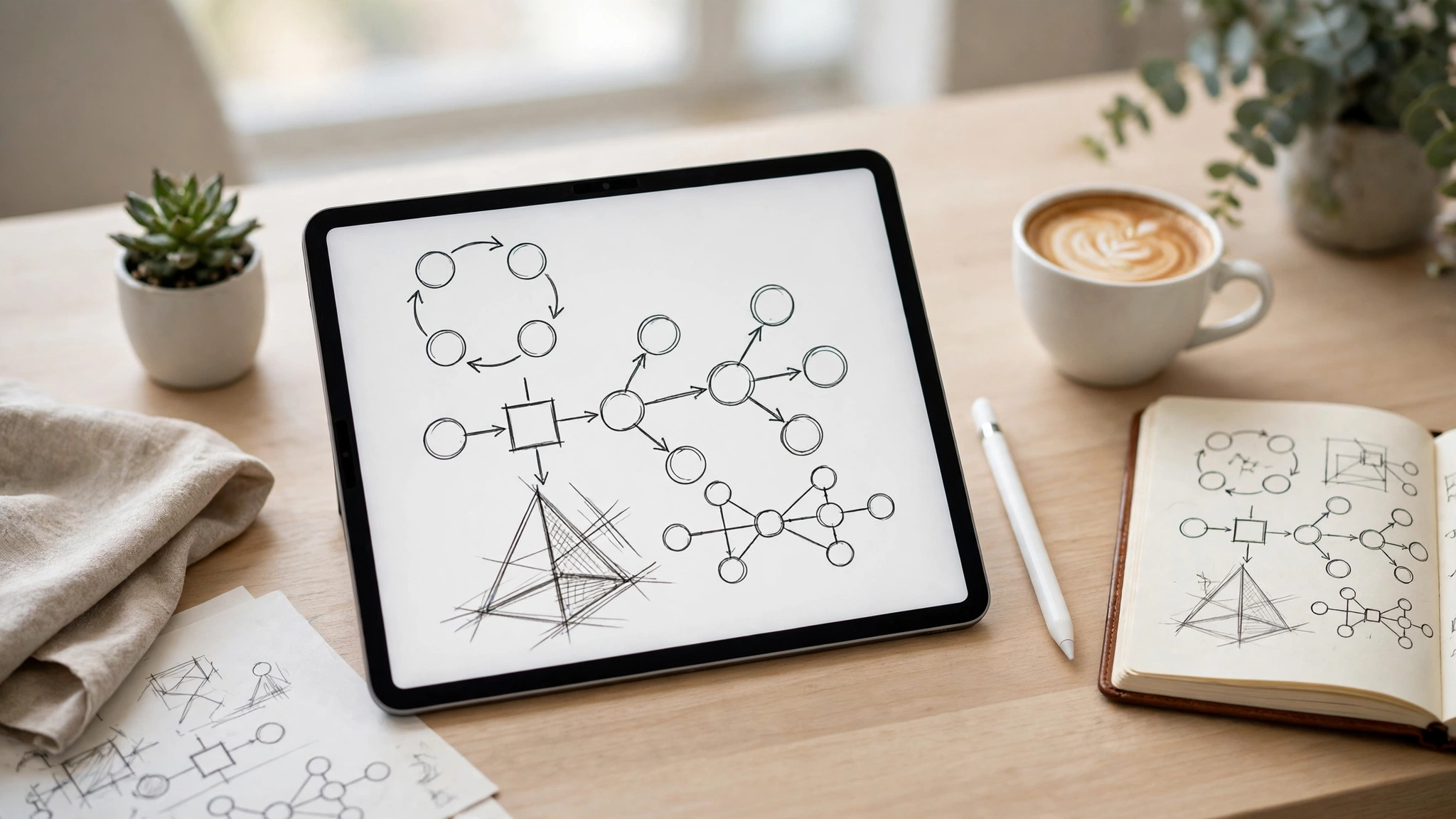
What Is the Best Note Taking App for iPad?
The best iPad note taking app for most people in 2027 is Goodnotes 6. It has the most natural Apple Pencil handwriting, searchable handwritten notes, strong PDF annotation and a notebook system that makes sense for lectures and meetings alike. But “most people” is doing a lot of work in that sentence — and if you record lectures, want everything free, or need your notes on Windows as well as iPad, the best app for you is a different one. This guide compares the best iPad note taking apps by what they are actually good at, so you can pick by your own use case instead of by a ranking.
The iPad is the best note-taking device many people own, and the app decides whether it feels like paper or like a chore. The difference between the top apps is not quality — they are all good — it is fit. Goodnotes is the best default. Notability is the best for recorded lectures. Apple Notes is the best free option. OneNote is the best if you live on Windows too. Nebo is the best if you want your handwriting turned into typed text as you write. The sections below explain each one, compare them head to head, and end with a simple decision rule and a setup workflow you can copy.
Table of Contents
Key Takeaways
- The best iPad note taking app for most people is Goodnotes 6 — the most natural handwriting, searchable notes and the best PDF annotation.
- Notability is the best iPad note taking app for recorded lectures: it syncs audio to your handwriting, so tapping a word replays what was said at that moment.
- Apple Notes is the best free iPad note taking app — preinstalled, synced through iCloud, and good enough for most quick notes.
- Nebo converts handwriting to typed text in real time; OneNote is the best cross-platform choice for iPad, Windows, Android and Mac.
- Prices change often and sources disagree — Goodnotes and Notability paid plans cost around $12–16 a year each, so check the official pricing page before buying.
- Pick by use case, not by ranking: handwriting and PDF slides → Goodnotes; lecture audio → Notability; free and simple → Apple Notes; Windows too → OneNote.
The Best iPad Note Taking Apps at a Glance
| App | Best for | Apple Pencil handwriting | Audio sync | Free tier | Paid plan (check official page) |
|---|---|---|---|---|---|
| Goodnotes 6 | Most people; handwriting, PDF annotation | Excellent | Basic recording | Yes — limited notebooks | From around $12/year |
| Notability | Recorded lectures and meetings | Excellent | Excellent — tap a word, hear the moment | Yes — Starter tier | From around $16/year |
| Apple Notes | Free, quick capture | Good | No | Free — preinstalled | Free |
| Nebo | Real-time handwriting-to-text | Excellent | No | Limited free version | One-time purchase |
| Microsoft OneNote | Cross-platform (iPad, Windows, Android) | Good | Basic recording | Free | Free; Copilot needs Microsoft 365 |
| CollaNote | Free handwriting and PDF notes | Good | Yes — recording | Free | Free with optional extras |
Prices in the table are approximate, because sources disagree — 2026 roundups list Goodnotes at $9.99 a year while Goodnotes’ own blog lists its Essential plan at $11.99 a year, and Notability is listed anywhere from $14.99 to $15.99 a year. Check the official pricing page of each app before you buy; the free tiers are the honest way to test them.
Goodnotes 6 — Best iPad Note Taking App Overall
Goodnotes 6 is the best iPad note taking app for most people, and the reason is simple: it is the closest thing to writing on paper. The Apple Pencil latency is near-invisible, the handwriting search actually works — you can search for a word you wrote by hand and find it — and the notebook structure (pages, folders, covers, templates) makes sense for anyone who takes notes by subject.
It is also the strongest choice for PDF-heavy work. Import a lecture slide deck or a textbook chapter, write in the margins, highlight, and search your handwritten annotations later. Version 6 added AI features — a typed summary of handwritten pages and a maths solver — which are genuinely useful but not the reason to choose it. The reason to choose Goodnotes is that the everyday writing experience is the best on the iPad.
Goodnotes was named Apple’s iPad App of the Year in 2022 and is used by more than 25 million people. The free plan covers a limited number of notebooks, which is enough to try it properly. Paid plans unlock unlimited notebooks, longer recordings and cross-platform sync. The one real weakness: audio recording is basic compared with Notability — you can record, but the recording is not linked to your strokes the way Notability’s is.
Choose Goodnotes if: your week is mostly lectures with PDF slides, handwritten problem sets, or meeting notes you need to search later.
Notability — Best for Recorded Lectures
Notability’s standout feature is audio-synced notes, and nothing else on the iPad does it as well. You record the lecture audio, and Notability links each note stroke to the moment in the recording when you wrote it. Tap any line later and the audio jumps to that exact second. For law, philosophy, medicine and any lecture-heavy programme, that feature genuinely changes how you study: you can write less in the lecture and reconstruct more afterwards.
Notability also handles a mix of handwriting and typing well, and its PDF annotation is strong. It holds a 4.8 out of 5 rating across hundreds of thousands of App Store reviews. The free Starter tier is limited, and the full version is a yearly subscription — there is also a one-time purchase option for Notability Classic in some regions, so check the official pricing page for what is available where you are.
Choose Notability if: you attend lectures where hearing exactly what was said matters more than anything else — and you will use the audio replay every week, not just in theory.
Goodnotes vs Notability: Which One Should You Pick?
This is the comparison most people get stuck on, so here is the honest answer. Goodnotes 6 is the safer default for a wider range of subjects: better notebook organisation, better handwriting search, better PDF workflow, and a one-time purchase option alongside its yearly plans. Notability is the better specialist tool for lecture-heavy programmes where audio sync is the deciding feature.
| Goodnotes 6 | Notability | |
|---|---|---|
| Handwriting feel | Excellent — the closest to paper | Excellent — very close |
| Handwriting search | Excellent | Good |
| Audio sync | Basic recording only | Excellent — tap a word, hear the moment |
| PDF annotation | Excellent | Good |
| Organisation | Notebooks, folders, templates | Subjects and dividers |
| AI features | Handwriting summaries, maths solver | Summaries, quizzes, flashcards |
| Free tier | Limited notebooks | Starter tier, limited features |
If you cannot decide, pick Goodnotes. It is the choice you are least likely to regret. Pick Notability only when you are sure the audio sync will be a weekly habit — if you record two lectures a term, it is not worth choosing your whole system around it.
Apple Notes — Best Free iPad Note Taking App
Apple Notes is the best free iPad note taking app, because it is already on your iPad, costs nothing, and syncs through iCloud to your iPhone and Mac without any setup. For quick capture — a shopping list, a phone number, a sketch, a note taken in a meeting — it is the fastest option, and speed matters more than features for notes you take in passing.
It is more capable than its reputation suggests. You can handwrite with Apple Pencil, add sketches, scan documents, lock notes, and use Apple Intelligence features where they are available. Its PDF annotation is basic compared with Goodnotes, and it has no notebook system or handwriting search of the same quality — but for many people, that does not matter.
Choose Apple Notes if: you want notes with zero cost, zero setup and zero learning curve, and most of your notes are short.
Nebo — Best for Handwriting-to-Text Conversion
Nebo, made by MyScript, is the best iPad note taking app if you want your handwriting turned into typed text as you write — in real time, not after the fact. Write a sentence by hand and it becomes typed text on the page. It also converts handwritten maths, shapes and diagrams, which makes it the best choice for science and engineering notes that mix words, equations and sketches.
The trade-off is that Nebo is a focused tool, not a full notebook system: its PDF annotation is limited and its organisation is simpler than Goodnotes. It is sold as a one-time purchase rather than a subscription, which makes it the cheapest paid option on this list over a few years. If your notes need to become typed documents — essays, reports, meeting minutes — Nebo saves the retyping step entirely.
Choose Nebo if: your notes must end up as typed text, and you write maths, diagrams or structured notes by hand.
Microsoft OneNote — Best Cross-Platform Note Taking App
OneNote is the best iPad note taking app if your notes also need to live on Windows or Android. It is the only app in this comparison that works genuinely well across iPad, Windows, Android and Mac at the same time, with an infinite canvas instead of fixed pages. It is free, and its handwriting and typing mix is solid, though its Apple Pencil feel is a step behind Goodnotes and Notability.
OneNote suits people whose work spans devices: take notes on the iPad in a meeting, open the same page on a Windows laptop at your desk, and check it on your phone on the way home. Copilot AI features are available on Microsoft 365 plans, which adds summaries and drafting. Its PDF annotation is basic, and its search of handwriting is weaker than Goodnotes — but for cross-platform users, those are acceptable trade-offs.
Choose OneNote if: you use Windows or Android as well as iPad, and your notes must follow you everywhere.
CollaNote and Bear — Worth Knowing About
Two more apps deserve a mention. CollaNote is free, popular with students, and covers handwriting, PDF annotation and audio recording without a subscription — the best free alternative to Goodnotes if you want a notebook-style app at no cost. Its polish is a step behind the paid apps, but its price is hard to argue with.
Bear is a different kind of app: a Markdown note-taking app for writers and developers, with a clean editor that hides formatting as you type. It is not a handwriting app, and it is not trying to be. If your iPad notes are mostly typed — research notes, drafts, code snippets — Bear is the best-looking option on this list.
Which iPad Note Taking App Is Best for Students?
Students ask this more than anyone else, and the answer depends on the subject. For most students, Goodnotes 6 is the best iPad note taking app: it handles handwritten lecture notes, PDF textbooks and exam revision in one place, and its handwriting search is a genuine advantage when you are looking for one formula in a semester of notes.
For students in lecture-heavy programmes — law, medicine, philosophy — Notability’s audio sync is worth more than anything else on this list. Being able to tap a half-finished sentence and hear the lecturer’s exact words is the difference between a gap in your notes and a complete record.
For students on a budget, Apple Notes or CollaNote cover the basics for free, and they are honest choices — not compromises. And if you are a student who also needs notes on a Windows laptop, OneNote is the only sensible pick. Our guide to the best AI for school work covers the AI study tools that pair well with whichever note app you choose.
Do I Need an Apple Pencil for Note Taking?
You do not strictly need an Apple Pencil — every app on this list accepts finger input, and Apple Notes works well for typed notes without any stylus. But handwriting quality depends on it. A finger is fine for a quick sketch or a short note; for a full lecture of handwritten notes, a stylus is the difference between usable notes and a cramped hand.
If you already own an Apple Pencil, any of the apps above will use it well. If you do not, start with Apple Notes and see how much you actually handwrite before spending on a Pencil and a paid app. The app decision and the Pencil decision are separate — make them separately.
How to Set Up Your iPad Note Taking System
Picking the app is half the job. The other half is a system you will actually keep using. Here is a setup that works, whatever app you choose.
- Pick one app and commit to it for a month. Two note apps means notes in two places, which means notes you cannot find. One app, one month, then judge it.
- Set up folders by subject or project. One folder per course, client or project — not one giant folder called “Notes”.
- Import your PDFs before the lecture, not during it. Slides, readings and handouts go into the app the night before, so the lecture is for annotating, not downloading.
- Use one template. A simple lined or dotted template for every page keeps your notes consistent and searchable.
- Review within 24 hours. Spend ten minutes after a lecture cleaning up the notes you took — add headings, star the key points, write a two-line summary at the top. Notes you review once are worth far more than notes you file and forget.
- Back it up. Turn on the app’s cloud sync and check it works. A lost iPad should cost you a device, not a semester of notes.
What Is the Best Note Taking App for PDF Annotation?
If annotating PDFs is your main job — marking up textbooks, contracts, research papers or lecture slides — Goodnotes is the best iPad note taking app for the task. Its annotation tools are the most complete: pens, highlighters, shapes, and handwriting search across your annotations. Notability is a capable second choice, and CollaNote is the best free option for PDF work.
The test that matters is a real document, not a feature list. Import a 50-page PDF into the app, annotate ten pages, and then try to find one annotation from last week. The app that makes that easy is the right one for you.
Frequently Asked Questions About iPad Note Taking Apps
What is the best note taking app for iPad in 2027?
Goodnotes 6 is the best iPad note taking app for most people — the most natural handwriting, searchable notes and the best PDF annotation. Notability is better if you record lectures; Apple Notes is best if you want it free.
Is Goodnotes or Notability better?
Goodnotes is the better default for most subjects; Notability is better for lecture-heavy programmes because its audio sync links every written word to the moment it was said. If you cannot decide, pick Goodnotes.
Is Apple Notes good enough for iPad notes?
Yes, for most quick notes. It is free, preinstalled and syncs everywhere. It falls behind Goodnotes and Notability on handwriting search, PDF annotation and notebook organisation — but many people never need those features.
Are there free iPad note taking apps?
Yes. Apple Notes and OneNote are completely free, CollaNote is free, and Goodnotes and Notability both offer free tiers with limits. Start free and pay only when a limit gets in your way.
Which iPad note app syncs to Windows?
Microsoft OneNote is the best cross-platform choice — it works on iPad, Windows, Android and Mac. Goodnotes also offers Windows and Android apps on its paid plans, but OneNote is free and more complete across platforms.
Can I record lectures while taking notes on iPad?
Yes. Notability does it best, with audio synced to each written word. Goodnotes and CollaNote also record audio, and OneNote has basic recording. Check whether recording is allowed in your lectures first.
The best iPad note taking app is the one that fits the way you actually take notes — not the one at the top of someone else’s ranking. Try the free tier of Goodnotes and the free tier of Notability for a week each, with real lectures and real notes, and let the work decide. For the rest of your study setup, see our guide to the best digital planners and the Google AI courses that can sharpen your study skills — and browse the Smart Software section for more software picks. If you are new here, Digital Discoverist covers AI tools, software and tech insights every day.
3 thoughts on “Best iPad Note Taking Apps in 2027: GoodNotes vs Notability and the Rest”